Hi all of you,
Does it exist Timer control in WPF?
I've got one Expander where some icons are showed if they are started:
Code-behind:
  Private Sub Expander3_Expanded(sender As Object, e As RoutedEventArgs) Handles Expander3.Expanded       If EstanCorrent("WINWORD") Then : Me.Wordi.Visibility = Windows.Visibility.Visible
        Else : Me.Wordi.Visibility = Windows.Visibility.Hidden
        End If       If EstanCorrent("EXCEL") Then : Me.Exceli.Visibility = Windows.Visibility.Visible
        End If
        If EstanCorrent("MSACCESS") Then : Me.Accesili.Visibility = Windows.Visibility.Visible
        End If
        If EstanCorrent("PGT") Then : Me.PgtEstimate.Visibility = Windows.Visibility.Visible
        End If
End Sub

  Public Function EstanCorrent(nomprocess As String) As Boolean

        For Each clsProcess As Process In Process.GetProcesses()

            If clsProcess.ProcessName.StartsWith(nomprocess) Then : Return True
            End If
        Next

        Return False
End Function
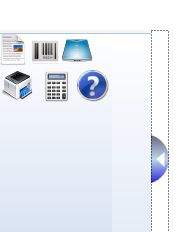
When WINWORD.exe*32 process is running user can see an icon in the following expander: (so that if that process is running user can bring it front clicking above it)

My aim is when my user closes Word process this one must be dissapeared inmediately (not like now, at first, user must collapse and expand again my Expander control for see the changes..
How can I refresh inmediately? 'suppose using a timer, but I do not know how.
Thanks a lot for your time and input
Primary platform is Windows 7 Ultimate 64 bit along with VS 2012/Sql2k8 for WPF/SilverLight projects.